
TL;DR:
- Manual compliance management often leads to system degradation and overlooked deadlines, increasing legal risks for small firms.
- Automated compliance tools improve accuracy, reduce labor costs, and better support multi-state operations and industry-specific requirements.
Compliance tools are defined as software systems that automate regulatory deadline tracking, document management, and accountability workflows to help small businesses avoid costly penalties and reduce manual overhead. Why small businesses need compliance tools is no longer a theoretical question. According to SBA's 2025 regulatory burden analysis, small businesses with 10–50 employees face an average of 47 regulatory filing deadlines annually, with regulated industries pushing that number past 80. Each additional state of operation adds 8–15 more filings. That volume breaks manual systems. Platforms like OnboardingGenie, ZenGRC, and ComplianceHR exist precisely because spreadsheets and calendar reminders were never built to carry that load.
Why small businesses need compliance tools: the core case
Manual compliance tracking is not just inefficient. It is a documented source of legal and financial exposure for small firms. Manual compliance tracking demands approximately 125 or more labor hours annually across tasks like deadline monitoring, document collection, and evidence filing. Automated systems handle 60–70% of those tasks without human intervention. That is not a marginal improvement. It is the difference between a firm principal spending two weeks per year on compliance administration versus spending two days.

The penalty exposure is equally concrete. Missing a single payroll tax deposit deadline triggers IRS failure-to-deposit penalties starting at 2% and escalating to 15% of the unpaid amount depending on how late the deposit is. State-level penalties for missed business license renewals, workers' compensation filings, or annual report deadlines vary by jurisdiction but routinely run $100 to $500 per day. For a 15-person accounting firm or a small medical practice, one missed filing cycle can cost more than a year's worth of compliance software.
The risks compound when you factor in staff turnover. 34% of compliance penalties result from degraded manual systems, specifically spreadsheets and shared calendars that became unreliable after a key employee left or a process was not updated. The system did not fail all at once. It quietly stopped working, and no one noticed until a penalty notice arrived.
Pro Tip: If your compliance tracking lives in a spreadsheet owned by one person, you do not have a compliance system. You have a single point of failure.
What are the operational risks of skipping compliance software?
The most underappreciated risk in manual compliance management is system degradation, not the absence of a system. Most small firms do have a process. They have a shared Google Sheet, a folder in Dropbox, maybe a recurring calendar reminder. The problem is that system degradation, not the absence of a system, is the principal cause of small business compliance failures. When the person who built the spreadsheet leaves, the logic leaves with them.
Consider a fictional but representative example: Rivera & Associates, a 12-person HR consulting firm in Texas. Their compliance calendar was maintained by an office manager who left in March. Her replacement inherited a spreadsheet with 60 rows, no documentation, and three tabs that referenced each other in ways nobody could explain. By June, two state contractor registration renewals had lapsed. The firm paid $1,400 in reinstatement fees and spent 11 hours reconstructing the filing history for their attorney.
Beyond degradation, there is the problem of scale. Multi-state operations multiply filing requirements fast. A consulting firm that expands from Texas to California and New York adds roughly 20 to 30 new annual compliance obligations across payroll tax registrations, business licenses, and employment law postings. Tracking that manually is not a workflow problem. It is a structural one.
- Missed IRS Form 941 quarterly payroll tax filings trigger penalties starting at 5% per month, up to 25% of unpaid tax.
- State annual report failures can result in administrative dissolution, which voids the firm's liability protection.
- OSHA recordkeeping violations carry penalties up to $16,131 per serious violation as of 2026.
- Employment eligibility verification errors under I-9 requirements carry civil fines from $281 to $2,789 per violation.
For compliance challenges facing SMEs, the issue is rarely ignorance of the rules. It is the absence of a reliable system to track them.
How do compliance tools automate regulatory management?
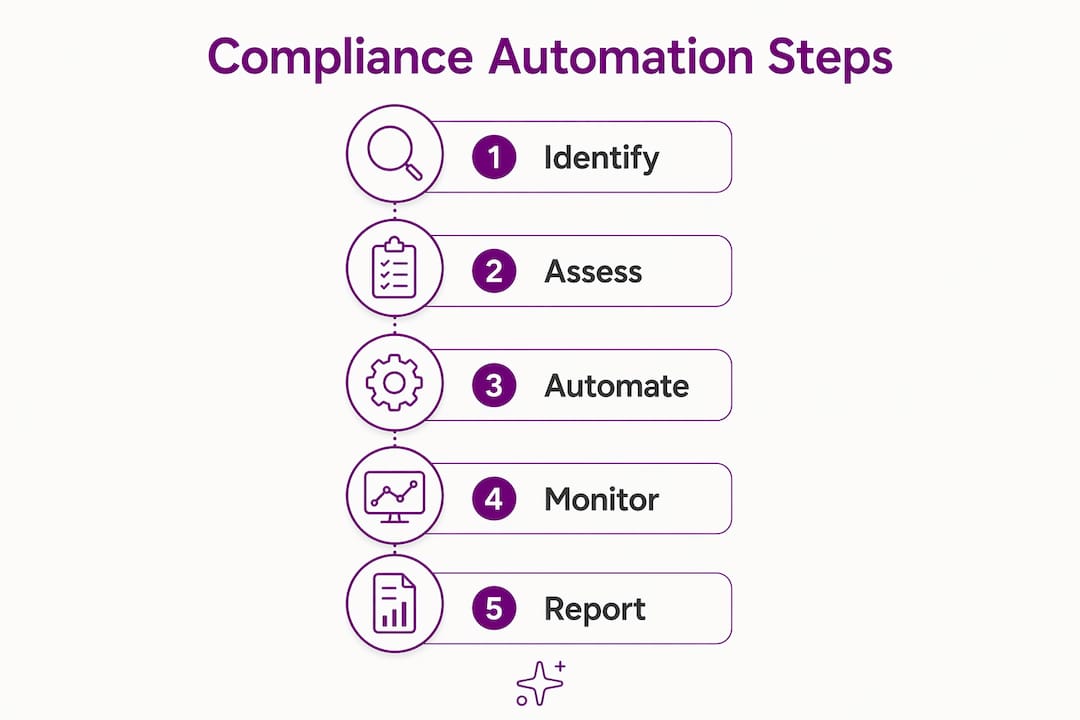
Compliance software replaces the human memory layer with a structured, rules-based system that does not forget, does not leave, and does not misread a deadline. The core function is automated deadline monitoring with multi-stage escalation alerts at 30, 14, 7, and 1 day before each filing due date. That four-stage cadence is the most effective feature for preventing missed filings, according to SBA's 2025 compliance failure analysis. It means a firm gets four separate opportunities to act before a deadline passes.
Beyond alerts, modern compliance platforms handle three additional functions that manual systems cannot replicate reliably:
- Document management and evidence collection. The platform stores signed forms, attestations, and supporting documents against each compliance obligation. When an auditor asks for proof of a 2024 OSHA training completion, the answer is a link, not a two-hour archive search.
- Accountability routing. Tasks are assigned to specific people with tracked completion status. If a task is overdue, the system escalates automatically rather than waiting for someone to notice.
- Regulatory framework mapping. Platforms like ZenGRC support cross-framework control mapping, which maps one internal control to satisfy multiple regulatory frameworks simultaneously. A single data security policy can satisfy SOC 2, HIPAA, and state privacy law requirements at once, eliminating duplicative work.
"Modern regulators expect companies to use automation, data analytics, and AI to demonstrate effective compliance programs. Lacking these capabilities increases regulatory scrutiny." — Michael Volkov, compliance attorney and author at Volkov Law Group
The operational payoff is measurable. Automated compliance tracking reduces compliance labor costs by 55–65%, potentially saving tens of thousands annually depending on firm size. For a 20-person professional services firm paying a paralegal or office manager $28 per hour to manage compliance manually, that math closes fast.
Pro Tip: When evaluating compliance software, ask the vendor specifically how their alert escalation works. A single reminder email three days before a deadline is not a compliance system. Four-stage escalation with named accountability is.
How do you choose the right compliance tool without overpaying?
The pricing gap between enterprise and SMB-focused compliance platforms is wide enough to matter. Enterprise compliance platforms often charge $10,000 to $100,000 annually, while SMB-focused alternatives start around $49 per month. That is not a feature gap. It is a market positioning gap. Enterprise tools were built for Fortune 500 legal and compliance teams with dedicated IT support. A 15-person law firm does not need a tool that requires a three-month implementation and a dedicated administrator.
The selection decision comes down to four variables: firm size, industry, jurisdictional complexity, and integration requirements.
| Factor | What to look for | Red flag |
|---|---|---|
| Firm size | Flat monthly pricing, no per-seat minimums | Contracts requiring 50+ seats |
| Industry specificity | HR, healthcare, or legal-specific rule sets built in | Generic frameworks only |
| Jurisdictional complexity | Multi-state filing support and state-specific alerts | Single-state configuration only |
| Integration | Connects to payroll, HR, or onboarding systems | Standalone with no API access |
Industry-specific tooling matters more than most buyers realize. A general compliance platform may track your annual report deadlines accurately but have no awareness of HIPAA Business Associate Agreement renewal cycles or state bar CLE reporting requirements. ComplianceHR, for example, embeds outside counsel expertise directly into its HR compliance workflows, which reduces time for complex HR tasks by up to 90% and produces legally defensible decisions in minutes rather than days. That kind of embedded expertise is not available in a generic task management tool.
The other common mistake is fragmenting compliance across multiple unconnected tools. A firm using one tool for document storage, a second for deadline tracking, and a third for employee training attestations has not built a compliance program. It has built three separate systems that do not talk to each other, which means no unified audit trail and no single source of truth when a regulator asks questions.
Pro Tip: Before purchasing any compliance tool, map out every regulatory obligation your firm has across federal, state, and industry-specific requirements. That list tells you whether you need a general tracker or an industry-specific platform.
How to evaluate and implement compliance tools for your firm
The decision to automate compliance tracking is straightforward once you apply a few concrete criteria. If your firm meets any three of the following conditions, manual tracking is already a liability:
- You file more than 20 regulatory documents per year across all jurisdictions.
- You operate in two or more states.
- You have experienced at least one missed filing or late renewal in the past 24 months.
- A single employee currently owns your compliance calendar.
- You have grown past 10 employees in the last 18 months.
Once you have confirmed the need, the evaluation process follows four steps. First, conduct a gap analysis. List every compliance obligation your firm carries, assign a dollar value to the penalty for missing each one, and identify which ones currently have no automated reminder attached. That exercise alone usually justifies the software cost before you have spoken to a single vendor.
Second, estimate your current labor cost. If a $30-per-hour employee spends 10 hours per month on compliance administration, that is $3,600 per year in labor before you count the cost of errors. Compare that number directly against software pricing.
Third, evaluate vendor support timelines and configurability. Effective compliance software for small firms should be configurable without IT support and deployable within weeks, not months. If a vendor's onboarding timeline is longer than 30 days for a firm your size, that is a signal the tool was not built for you.
Fourth, check integration with your existing systems. A compliance tool that connects to your payroll provider, HR platform, or onboarding workflow eliminates duplicate data entry and creates a single audit trail. For professional service firms, compliance tracking integrated with onboarding is particularly valuable because new hire compliance obligations, I-9 verification, benefits enrollment deadlines, and state-specific new hire reporting all trigger at the same moment.
Key takeaways
Small businesses that rely on manual compliance tracking face predictable, quantifiable failures. Automated compliance tools reduce that risk by removing human memory from the critical path.
| Point | Details |
|---|---|
| Manual systems degrade over time | 34% of compliance penalties trace back to spreadsheets that failed after staff turnover or missed updates. |
| Automation cuts labor by more than half | Automated tracking reduces compliance labor costs by 55–65%, freeing significant time for billable work. |
| Enterprise tools are not sized for small firms | SMB-focused platforms start at $49/month versus $10,000–$100,000 for enterprise alternatives. |
| Industry-specific tools outperform generic ones | Embedded legal or HR expertise produces faster, defensible decisions that generic task trackers cannot replicate. |
| Integration prevents audit trail gaps | Connecting compliance to onboarding and HR systems creates one source of truth for regulators and auditors. |
What I have learned watching small firms manage compliance
I built OnboardingGenie after watching small professional service firms make the same mistake repeatedly. They would invest real effort in setting up a compliance process, usually a well-intentioned spreadsheet with color coding and everything, and then that process would quietly fall apart six months later when the person who built it moved on or got busy. The firm would not know the system had failed until a penalty notice arrived.
The uncomfortable truth is that most small firms do not have a compliance problem. They have a system reliability problem. The rules are knowable. The deadlines are published. The forms exist. What fails is the human infrastructure built to track all of it, because human infrastructure is fragile in ways that software is not.
I have also seen the opposite failure: firms that bought enterprise compliance platforms because they looked credible, then spent four months in implementation, paid for seats they never used, and eventually abandoned the tool because it required a dedicated administrator they did not have. The tool was not wrong. It was wrong for them.
The firms that get this right share one trait. They pick a tool sized for their actual operation, configure it themselves in a week or two, and then leave it alone to do its job. They do not need AI-generated risk scores or automated regulatory intelligence feeds. They need a system that sends the right alert to the right person at the right time and stores the proof when the work is done. That is a solved problem. The only question is whether you have implemented the solution yet.
— Chris
How OnboardingGenie handles compliance for small firms
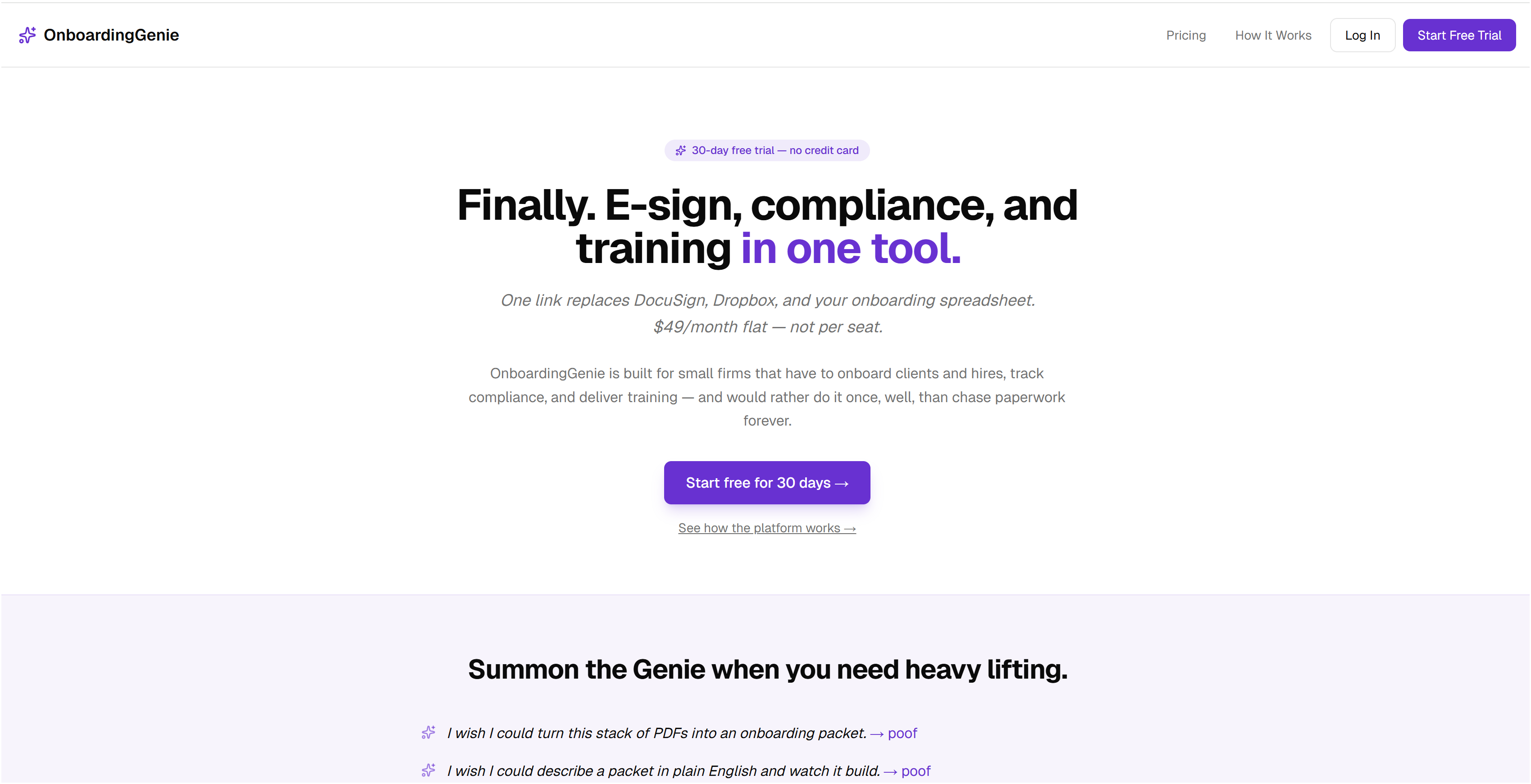
OnboardingGenie was built specifically for 1–50 person professional service firms that need compliance tracking without the overhead of enterprise software. The platform consolidates compliance tracking, document management, digital signatures, and employee onboarding into a single branded portal at a flat monthly fee. There is no IT setup, no per-seat pricing that balloons as you hire, and no three-month implementation timeline. If you are currently managing compliance obligations through spreadsheets or disconnected tools, OnboardingGenie gives you one place to track deadlines, collect attestations, and store audit-ready documentation. Explore OnboardingGenie's compliance management features, or see how it compares as a DocuSign alternative for small firms that need signatures and compliance in one workflow.
FAQ
What are compliance tools for small businesses?
Compliance tools are software platforms that automate regulatory deadline tracking, document collection, and accountability workflows. They replace manual spreadsheets and calendar reminders with structured, rules-based systems that alert the right people before deadlines pass.
How many compliance filings does a small business typically face?
According to SBA's 2025 regulatory burden analysis, small businesses with 10–50 employees face an average of 47 regulatory filing deadlines annually. Regulated industries and multi-state operations push that number significantly higher.
What does compliance software actually cost for a small firm?
SMB-focused compliance platforms start around $49 per month, while enterprise alternatives range from $10,000 to $100,000 annually. For most firms under 50 employees, there is no operational reason to pay enterprise pricing.
How does compliance software reduce penalty risk?
Automated platforms send multi-stage alerts at 30, 14, 7, and 1 day before each deadline and maintain audit-ready documentation for every completed obligation. This removes the human memory dependency that causes 34% of compliance penalties in small businesses.
Can compliance tools integrate with onboarding and HR systems?
Yes. Platforms like OnboardingGenie connect compliance tracking directly to employee onboarding workflows, which is particularly useful because new hire compliance obligations, I-9 verification, and state new hire reporting all trigger at the same time as onboarding.